


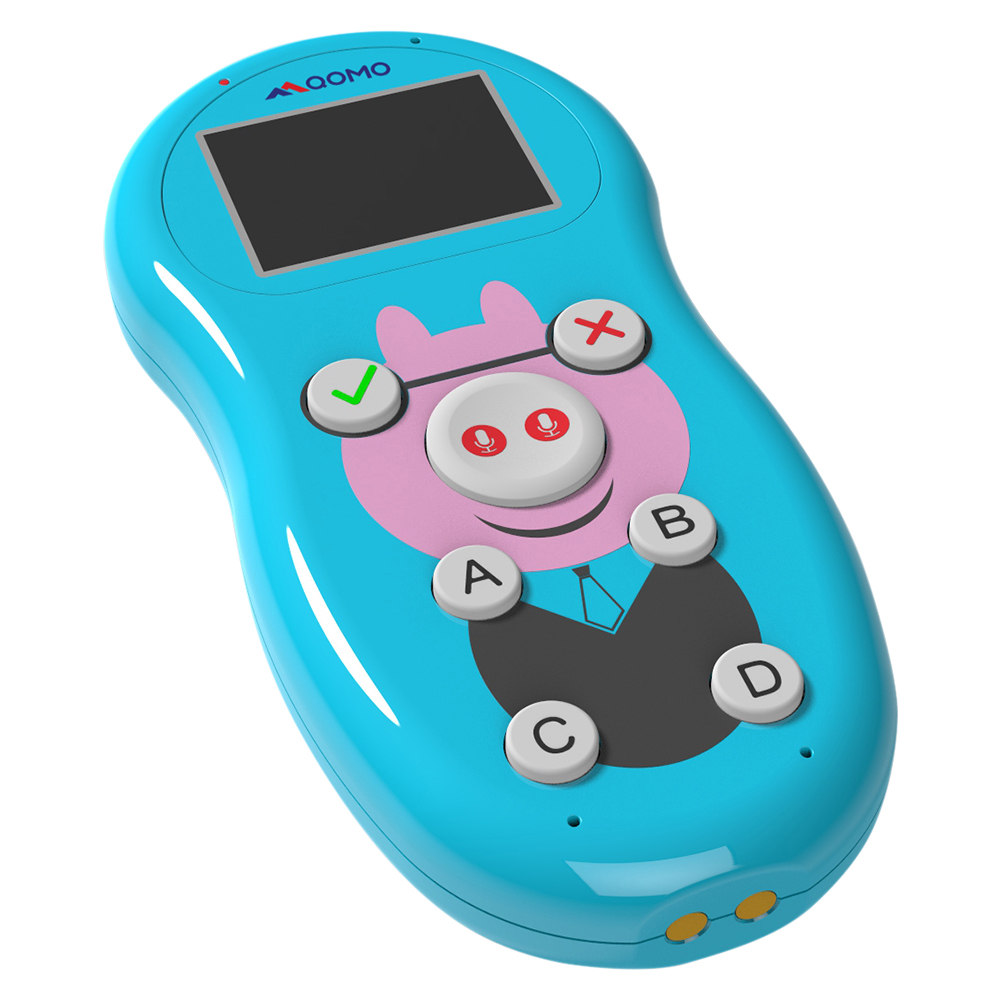
Cov toj roob hauv pes ntawm kev sib koom tes hauv chav kawm, chav sib tham, thiab cov chaw ua koob tsheej tab tom hloov pauv nrog kev siv dav dav ntawmcov tshuab xaiv tsa wireless sib thamthiab cov khoom siv teb sib tham. Cov cuab yeej tshiab no tab tom hloov kho txoj kev uas cov neeg tuaj koom, koom tes, thiab muab cov lus taw qhia hauv lub sijhawm tiag tiag, tsim cov chaw ua haujlwm sib tham thiab sib tham uas txhim kho kev kawm, kev txiav txim siab, thiab kev sib txuas lus pab pawg.
Cov tshuab pov npav wireless sib tham tau tshwm sim los ua ib qho kev daws teeb meem ntau yam rau kev sau cov lus tawm tswv yim tam sim ntawd los ntawm cov neeg tuaj saib thaum lub sijhawm nthuav qhia, kev qhuab qhia, kev sib ntsib, thiab kev tshwm sim nyob. Los ntawm kev muab cov neeg koom nrog lub peev xwm los teb cov kev xaiv tsa, cov lus nug, thiab kev soj ntsuam los ntawm cov khoom siv tes lossis xov tooj ntawm tes, cov tshuab no ua rau muaj kev sau thiab tshuaj xyuas cov ntaub ntawv tiag tiag, txhawb kev sib tham sib tham thiab kev koom tes ntawm cov neeg nthuav qhia thiab cov neeg tuaj koom.
Kev sib koom ua ke ntawm seamlesscov khoom siv teb sib thamNrog rau cov software nthuav qhia tso cai rau kev xa cov ntsiab lus dynamic thiab kev ua ub no sib tham uas tau tsim los rau cov kev xav tau ntawm ntau haiv neeg. Txij li cov tsev kawm ntawv uas nrhiav kev ntsuas kev nkag siab ntawm cov tub ntxhais kawm mus rau cov tuam txhab uas pab txhawb kev cob qhia sib tham thiab kev sib tham, qhov kev hloov pauv ntawm cov kab ke no hla dhau cov qauv kev sib txuas lus ib txwm muaj, ua rau cov neeg siv koom nrog cov ntsiab lus hauv txoj kev sib tham thiab koom nrog ntau dua.
Ib qho ntawm cov txiaj ntsig tseem ceeb ntawm cov txheej txheem pov npav wireless sib tham yog lawv lub peev xwm los txhawb kev kawm thiab kev koom tes los ntawm kev txhawb kom cov neeg tuaj saib sib tham thiab txhawb kom muaj kev koom tes thiab kev koom tes. Los ntawm kev ua kom cov tib neeg teb cov lus nug yam tsis qhia npe, qhia cov kev xav, thiab muab cov lus qhia yam tsis cuam tshuam, cov txheej txheem no tsim ib puag ncig uas zoo rau kev sib tham qhib thiab sib pauv tswv yim.
Ntxiv mus, qhov kev txav mus los thiab kev ywj pheej ntawm cov khoom siv teb sib tham ua rau lawv yog cov cuab yeej zoo tshaj plaws rau kev pab txhawb kev txiav txim siab ua pab pawg, kev sib tham txog kev xav, thiab kev sib koom siab. Txawm hais tias siv rau hauv kev sib tham txog kev xav kom muab qhov tseem ceeb rau cov tswv yim lossis hauv kev sib tham ntawm cov tuam txhab kom sau cov lus taw qhia txog cov tswv yim tseem ceeb, cov kab ke no txhawb nqa cov neeg koom nrog kom koom nrog kev sib tham thiab tsav cov txiaj ntsig tseem ceeb.
Cov yam ntxwv siab heev ntawm cov tshuab pov npav wireless sib tham, xws li kev taug qab cov txiaj ntsig tiag tiag, kev tshuaj xyuas cov ntaub ntawv tam sim ntawd, thiab cov kev xaiv teb uas hloov kho tau, txhim kho kev ua haujlwm zoo thiab kev ua tau zoo ntawm cov tswv yim koom nrog cov neeg tuaj saib. Cov neeg nthuav qhia thiab cov neeg pab txhawb nqa tuaj yeem saib xyuas cov lus teb ntawm cov neeg koom nrog hauv lub sijhawm tiag tiag, kho cov ntsiab lus raws li cov lus tawm tswv yim ntawm cov neeg tuaj saib, thiab kho cov lus nthuav qhia kom haum rau cov kev nyiam tshwj xeeb lossis qhov tsis paub, tsim kom muaj kev paub zoo dua thiab koom nrog rau txhua tus neeg koom nrog.
Raws li cov tshuab pov npav wireless sib tham thiab cov khoom siv teb tau txuas ntxiv mus rau qhov kev nyiam thoob plaws hauv kev kawm, kev lag luam, thiab kev lom zem, yav tom ntej ntawm kev sib tham tau npaj rau kev tsim kho tshiab thiab kev nthuav dav ntxiv. Los ntawm kev siv lub zog ntawm thev naus laus zis los txhawb kev koom tes, pab txhawb kev sib txuas lus, thiab txhim kho kev koom tes ntawm cov neeg tuaj saib, cov cuab yeej no tau txhais dua cov ciam teb ntawm kev sib tham sib tham thiab paving txoj hauv kev rau kev paub ntau dua, kev koom tes, thiab kev sib tham sib tham hauv ntau qhov chaw.
Lub sijhawm tshaj tawm: Lub Xya Hli-12-2024