


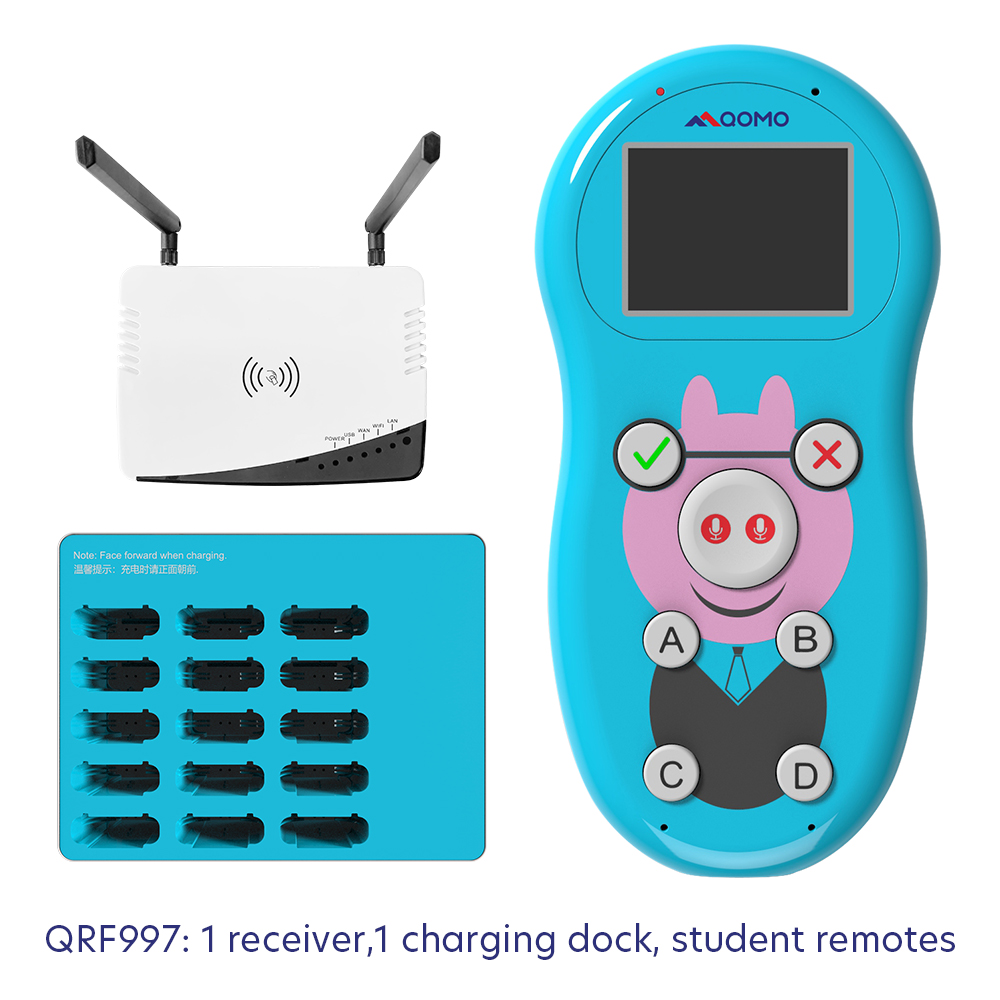
Ib qho kev txiav tshiablub tshuab xaiv tsa cov neeg mloog wirelesstau tsim los rau tam sim no qhov chaw kawm ntawv, khav txog kev sib koom ua ke ntawmcov neeg siv wireless sib tham sib xaiv tsaCov thev naus laus zis tshiab no lub hom phiaj yog los txhim kho qhov kev pom tseeb, kev ua haujlwm zoo, thiab kev paub txog kev xaiv tsa thoob plaws ntau qhov chaw, xws li cov chaw ua lag luam mus rau cov tsev kawm ntawv thiab cov rooj sib tham rau pej xeem.
Lub tshuab xaiv tsa cov neeg tuaj saib uas tsis muaj xov tooj, ua ke nrog cov neeg nias xaiv tsa uas tsis muaj xov tooj sib tham, sawv cev rau ib kauj ruam tseem ceeb rau kev tshem tawm cov txheej txheem xaiv tsa uas siv ntawv ib txwm muaj, txhawb kom muaj kev paub xaiv tsa uas muaj kev nyab xeeb thiab koom nrog ntau dua. Nrog rau kev nce ntxiv ntawm cov kev daws teeb meem digital hauv ntau qhov chaw, kev koom ua ke ntawm cov thev naus laus zis wireless hauv kev xaiv tsa qhia txog kev hloov pauv mus rau cov txheej txheem kev ywj pheej uas yooj yim dua thiab ua tau zoo.
Lub hauv paus ntawm lub kaw lus no yog kev siv cov cuab yeej nias pov npav wireless uas sib tham tau, uas ua rau cov neeg koom nrog pov npav tau sai thiab raug raws sijhawm. Cov khoom siv tes no tsis yog tsuas yog ua kom yooj yim rau cov txheej txheem pov npav xwb tab sis kuj pab txhawb kev sau thiab tshuaj xyuas cov ntaub ntawv tam sim ntawd, muab cov neeg npaj nrog cov txiaj ntsig tam sim ntawd thiab txhim khu kev qha.
Ib qho ntawm cov txiaj ntsig tseem ceeb ntawm lub kaw lus tshiab no yog nws lub peev xwm los pab cov neeg coob coob kom sib haum xeeb. Txawm hais tias nyob rau hauv lub rooj sib tham hauv chav sib tham, chav kawm, lossis kev tshwm sim hauv nroog, lub kaw lus xaiv tsa cov neeg tuaj saib wireless muab kev daws teeb meem ntau yam rau kev xaiv tsa thiab sau cov lus tawm tswv yim los ntawm ntau pawg neeg koom nrog.
Tsis tas li ntawd xwb, kev siv cov thev naus laus zis wireless ua rau cov neeg xaiv tsa koom nrog ntau dua, vim tias cov txheej txheem pov npav sib tham txhawb kom muaj kev koom tes thiab txhawb kom muaj kev koom tes. Cov neeg koom nrog tuaj yeem qhia lawv cov kev xav nrog ib qho nias xwb, ua rau cov txheej txheem xaiv tsa muaj zog thiab sib tham ntau dua.
Kev siv lub tshuab xaiv tsa uas tsis muaj xov tooj cua nrog cov neeg nias xaiv tsa sib tham kuj daws cov teeb meem ntsig txog kev ncaj ncees thiab kev ruaj ntseg ntawm cov ntaub ntawv. Los ntawm kev siv cov txheej txheem xaiv tsa hauv digital, lub tshuab no txo cov kev pheej hmoo uas cuam tshuam nrog kev ua yuam kev ntawm tes thiab ua kom ntseeg tau tias cov neeg pov npav tsis pub lwm tus paub.
Tsis tas li ntawd xwb, lub peev xwm tshaj tawm tam sim ntawd ntawm lub kaw lus no ua rau cov neeg npaj tuaj yeem saib xyuas cov qauv kev pov npav tam sim ntawd, ua rau muaj kev txiav txim siab raws sijhawm raws li cov ntaub ntawv tseeb thiab hloov tshiab. Qhov feature no ua pov thawj muaj txiaj ntsig zoo hauv cov xwm txheej uas kev txiav txim siab sai yog qhov tseem ceeb, xws li thaum lub sijhawm sib cav sib ceg, kev xaiv tsa, lossis kev xaiv tsa hauv tuam txhab.
Qhov kev tshwm sim ntawm lub tshuab xaiv tsa wireless uas koom ua ke nrog cov neeg nias xaiv tsa wireless sib tham tau qhia txog kev nce qib tseem ceeb hauv kev siv tshuab xaiv tsa. Los ntawm kev ua kom cov txheej txheem xaiv tsa yooj yim dua, txhim kho kev koom tes, thiab ua kom muaj kev ruaj ntseg ntawm cov ntaub ntawv, lub tshuab tshiab no tau tsim txoj hauv kev rau kev xaiv tsa zoo dua thiab suav nrog ntau qhov chaw ntawm lub zej zog. Thaum cov koom haum thiab cov tsev kawm ntawv txais yuav kev hloov pauv digital, kev siv cov kev daws teeb meem xaiv tsa zoo li no qhia txog lub sijhawm tshiab ntawm kev koom tes ywj pheej thiab kev pom tseeb.
Lub sijhawm tshaj tawm: Lub Xya Hli-05-2024